12. Upload Cloudflare’s R2 bucket
Non-members can read 30% of the article.
In our development, there will be various image resources or file resources that need a place to store, and in Cloudflare, R2 is used to store resources.
There are various bucket options on the market (such as S3), but Cloudflare's free quota of 10 gigabytes (500KB for one picture, 2W pictures), 1 million 'add, delete, modify' resources, and 10 million 'read resources' is still very exaggerated (this is really a lot).
Although it is free, you need to have a credit card or virtual credit card to open an R2 bucket. I will write a separate chapter about opening the card later.
Configure R2 bucket
First execute pnpm wrangler r2 bucket create static, which will create a Static bucket, copy its configuration to wrangler.jsonc, and then run pnpm cf-typegen to generate the R2 type.
"r2_buckets": [
    {
        "bucket_name": "demo",
        "binding": "NEXT_INC_CACHE_R2_BUCKET"
    },
    {
        "bucket_name": "static",
        "binding": "static"
    }
],
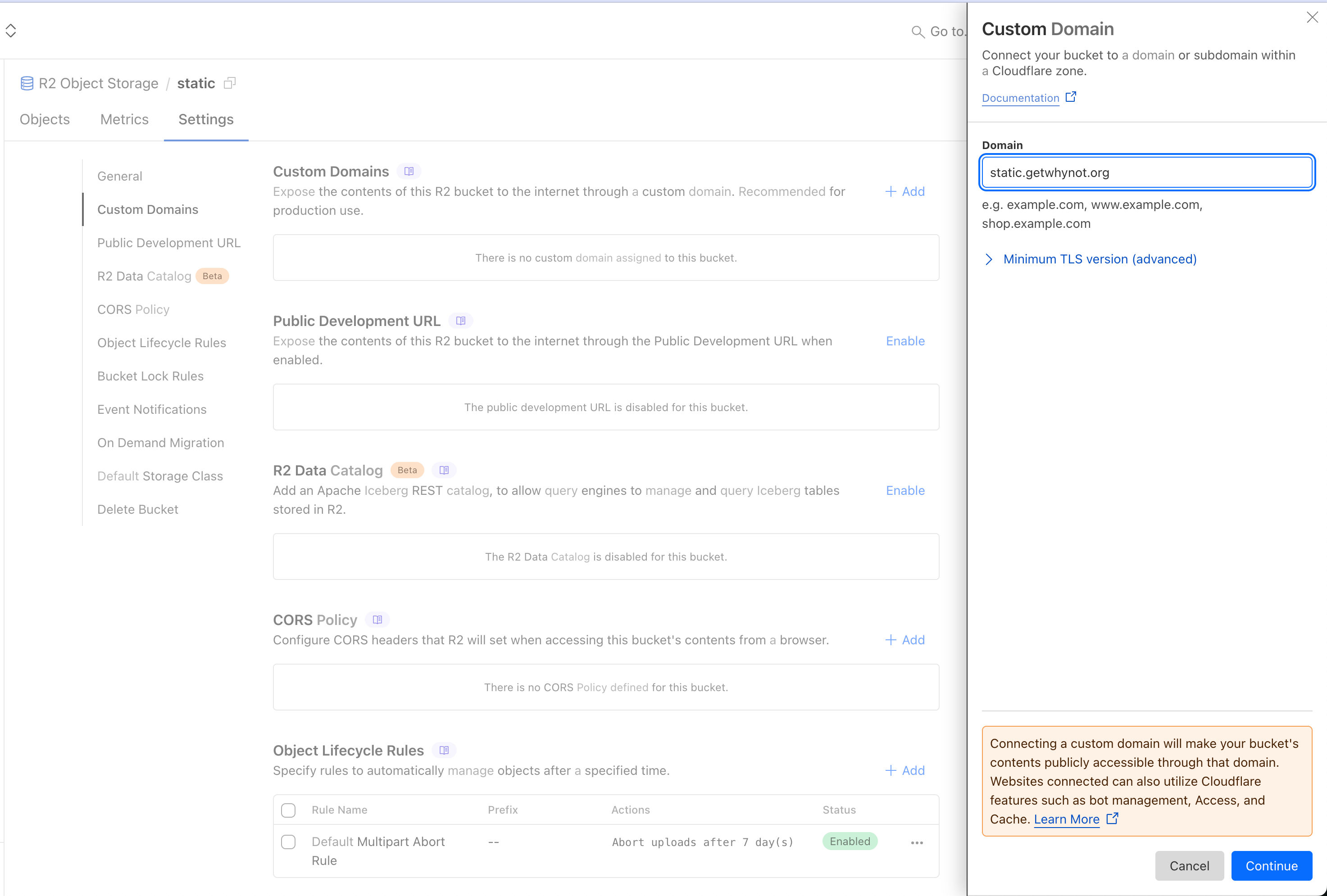
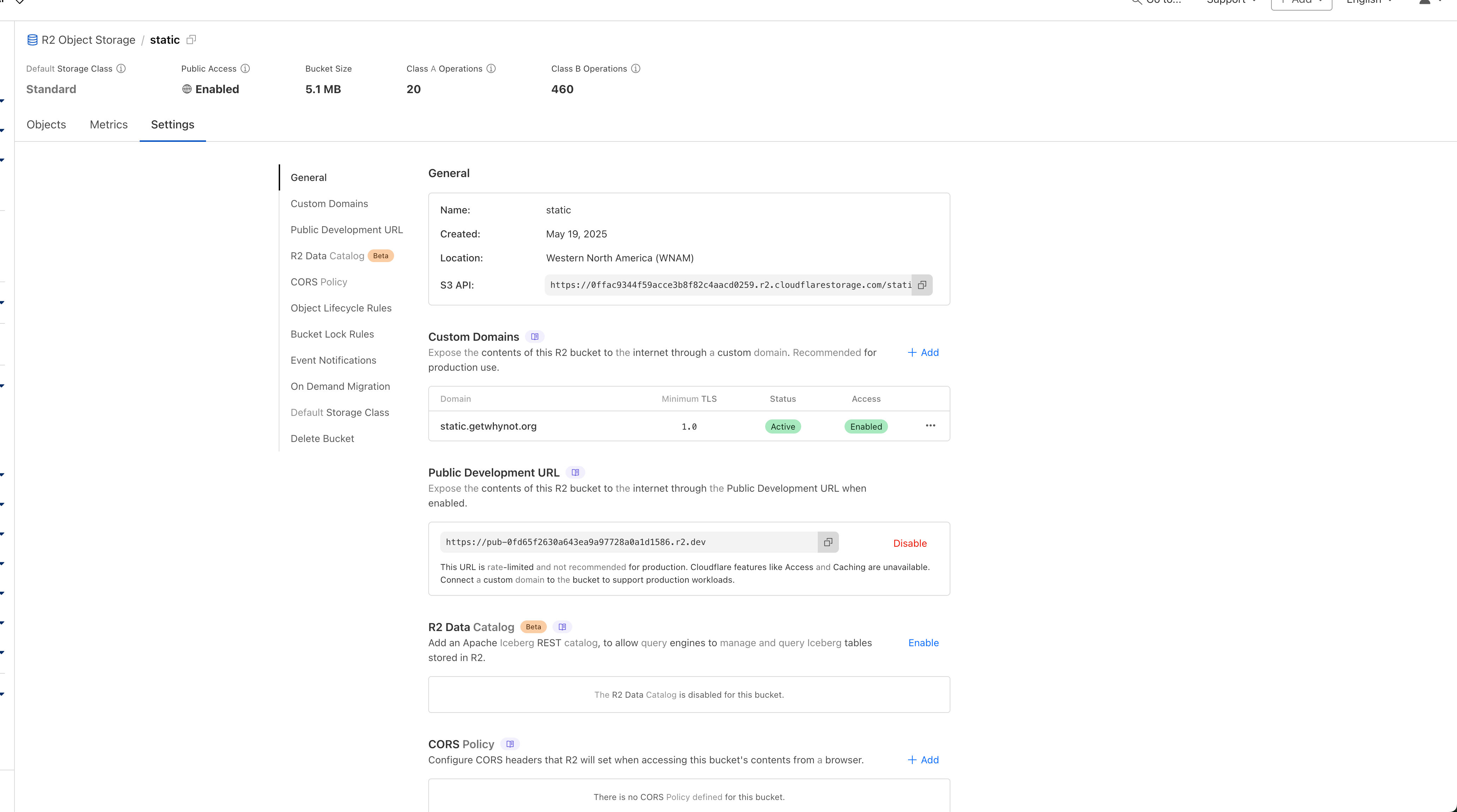
Then configure the static domain on the official website of Cloudflare, and use any subdomain name of the purchased domain name.
This is what the settings panel looks like when finished
Then upload a picture to the outermost part of the bucket to test whether it can be accessed. The first is your subdomain and the second is your file name (if you add a folder, there is an extra /), for example:
https://static.getwhynot.org/2024-04-19_6623010998e48_lara-lightland.png

Reasonable naming of folders and files can prevent file collisions.
Subscribe to unlock the full article
Support the writing, unlock every paragraph, and receive future updates instantly.
Comments
Join the conversation
No comments yet. Be the first to add one.